Teach it once, and it knows forever.
Two lines at the top say what the skill is called and when to use it. Everything under that is the instructions. No code anywhere in it.
description: write a week of posts
read the price list firstseven posts, one carousel never invent a price
Without one you explain how you want the job done every single time, and you get a slightly different answer every single time.
With one, the job comes out the same way on Monday as it did in March.
Costs nothing Claude only opens a skill when your request matches its top two lines, so a hundred of them do not slow it down.
- 1Open Customize, then Skills
- 2Browse the directory and install, or upload a file someone sent you
- 3Type the skill name with a slash to run it by hand
- 4To write your own, copy an existing one and change the words
A folder that remembers the job.
You give it a name, drop in the documents it should know about, and every conversation you start inside it can see them.
Free accounts get five. Paid accounts get more.
In a loose chat you paste your prices, describe your customers and explain your tone, then do it all again tomorrow.
Inside a Project that is already done. Every chat starts briefed.
The usual mistake Working in loose chats for months and assuming the output is as good as it gets.
- 1Click Projects in the sidebar, then new
- 2Name it after the client, the product or the job
- 3Add your price list, past emails and anything you keep repeating
- 4Start every conversation about that job inside it
Start here If you do one thing from this whole deck, do this one.
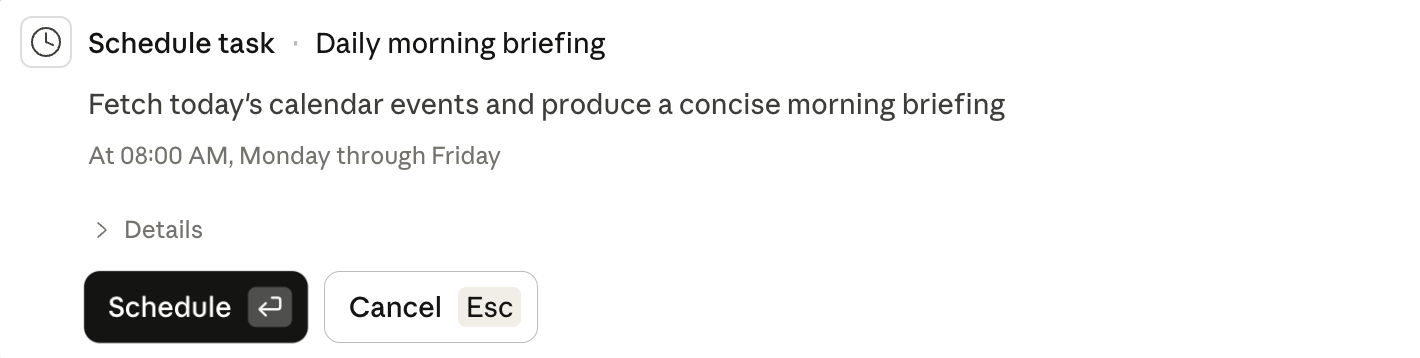
Jobs that run without being asked.
You write the instruction once and pick when it should happen. Hourly, daily, weekdays or weekly.
Paid plans only. There is no free version of this.
Most useful jobs are the weekly ones nobody gets round to. A routine does them at the same time every week without being nagged.
Watch for If you set it up on the desktop app, or the job needs your own files, your computer has to be awake. Set it up in the cloud and it runs with everything off.
- 1Do the job by hand until the output is right twice
- 2Click Scheduled in the sidebar, then new task
- 3Paste the instruction that worked, and pick the day and time
- 4Have it save a draft rather than send anything, at least at first